





Editing STL Mesh Files in SOLIDWORKS
In this video, we cover the process of editing STL mesh in SOLIDWORKS and re-exporting the file as an STL
Editing STL Mesh File
Have you ever needed to make a modification to an STL file but didn’t have the ability to directly edit the mesh? Using SOLIDWORKS, you can now directly add or remove features just as you would on a solid body model. In this video, we go over how to remove the slot feature from a bracket model and re-export the file as a STL mesh file.
Importing a Mesh STL File
Importing a mesh is easy in SOLIDWORKS. Just drag the mesh into the application window and you will see the mesh appear in the workspace. You’ll notice that you can hover over and select the faces, lines and vertices just as you would on a solid model. This will allow us to isolate faces and edges for a later modification.

Importing Mesh into SOLIDWORKS
Creating a Sketch Geometry and Modifying the Mesh
Using the vertices of the mesh, we can select a plane and create a sketch which will be used for our construction geometry. We can select individual vertices on the mesh to use as reference points for our slot feature. This allows us to sketch directly on the top of the model as a planar surface.

Sketch geometry in SOLIDWORKS
Using the slot sketch feature, we’re going to create an extruded feature which we will use as a tool to patch the slot feature. Using the Up to Surface end condition for our extrude function, we can select a planar face on the back of the model as our end condition. Make sure the Merge Result box is checked, as that will merge our new tool with the original mesh.
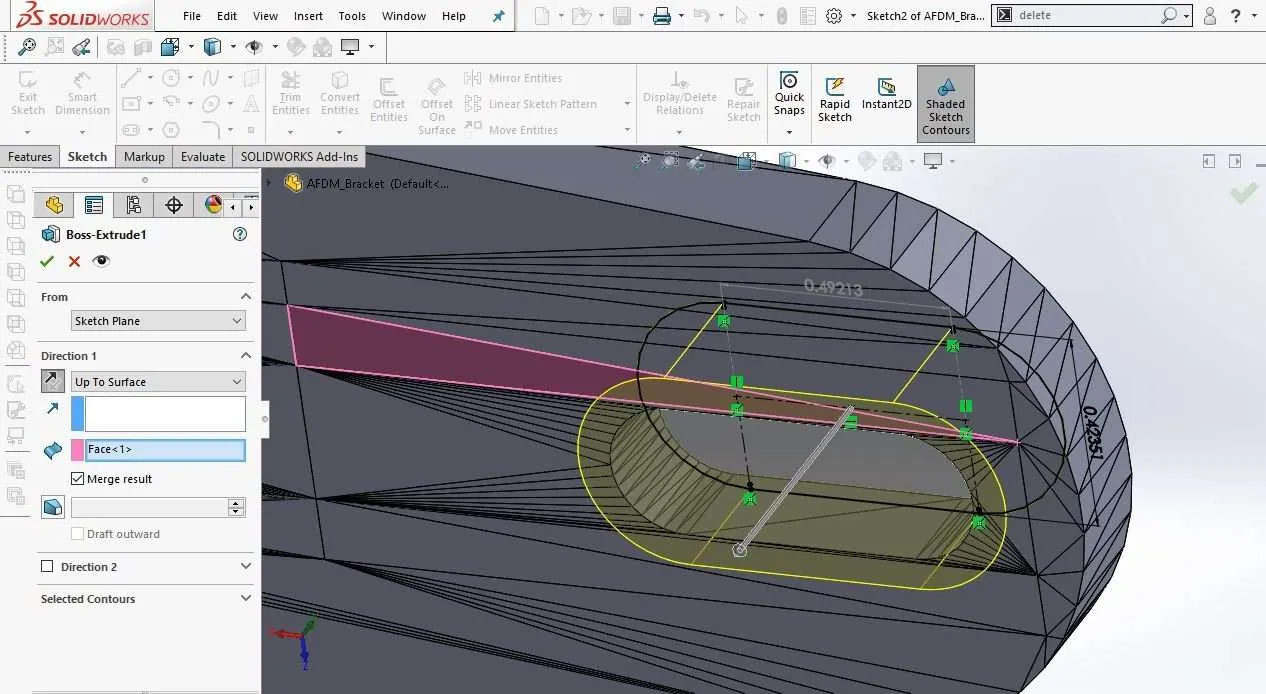
Extrude feature in SOLIDWORKS
Checking and Exporting Mesh
Once our slot feature has been merged with the original mesh, we can check that the surface is planar by using the Zebra Stripes feature. Once we have confirmed the mesh has a planar surface, we can re-export the mesh STL for future use.
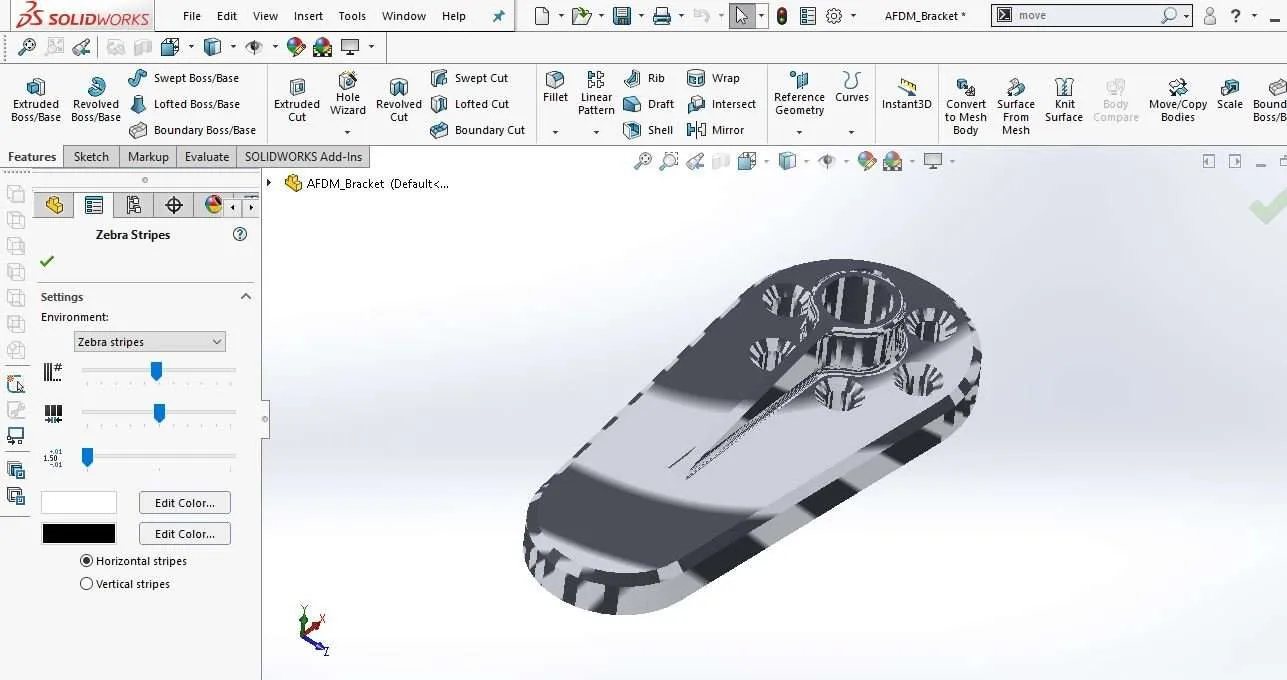
Zebra Stripe feature in SOLIDWORKS
At this point, the mesh can be imported into a 3D printer slicer program, like GrabCAD Print, to be fabricated.
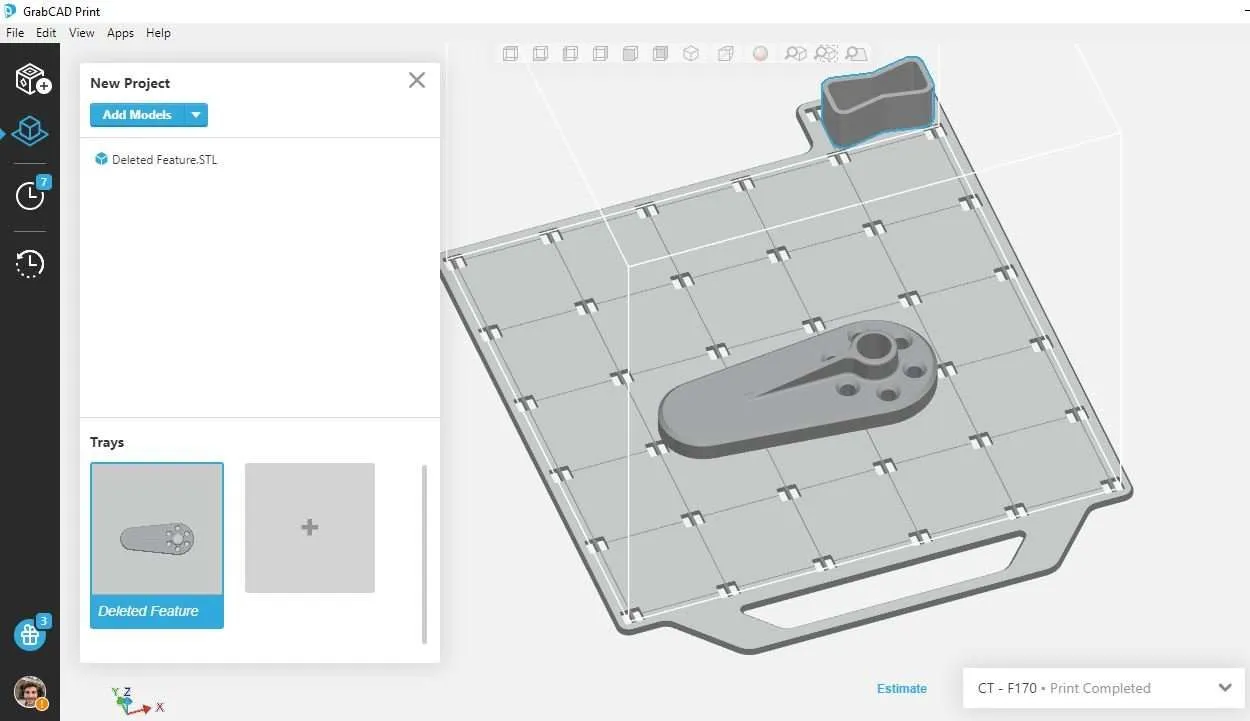
Sliced mesh in GrabCAD Print
Manufacturing Services
Interested in Advanced Manufacturing?
Contact us today and tell us about your manufacturing requirements